🌐
Live Translation
Real-time transcription and translation for your doxy.me calls, with translation powered by Claude.
Communication
Open in doxy.me App Store
Real-time transcription and translation for your doxy.me calls, with translation powered by Claude.

Disclaimer: This is a prototype app and is still in early development. You may experience longer loading times, occasional bugs, or features that change as we continue to improve the experience. Your feedback is invaluable — please use the thumbs-up or thumbs-down icons in the app, or email us directly at labs@doxy.me to share your thoughts.
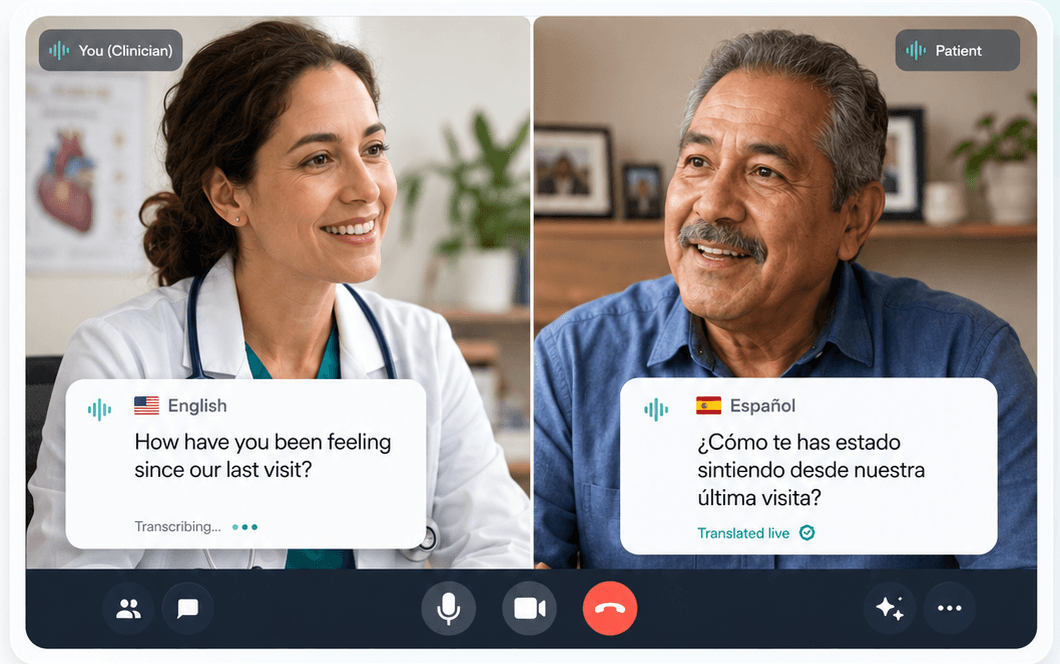
Live Translation brings real-time audio transcription and translation into your doxy.me calls. As people speak, their words are transcribed live, and when participants use different languages the conversation is translated on the fly so everyone can follow along.
Transcription runs through a provider abstraction that supports multiple backends, and translation is powered by Claude for natural, context-aware results.